Vidicom Review: Is This the Best AI Product Video Generator for Ecommerce?
If you're considering buying Vidicom, you're probably wondering whether it's genuinely worth your money or just another AI tool making big promises.
In this Vidicom review, I'll show you exactly what the software does, who it's best suited for, its strengths and weaknesses, and whether it delivers enough value to justify the price.
By the end, you'll have a clear understanding of whether Vidicom is the right choice for you—or whether you'd be better off looking at an alternative.
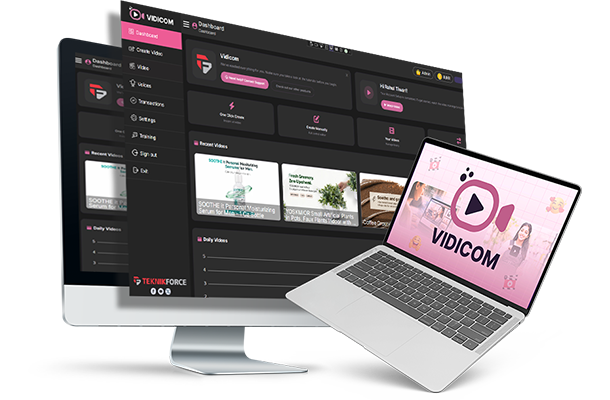
Ecom sellers, dropshippers, affiliates & creators
$37 one-time launch price
Beginner-friendly; no editing required
Pros
- URL-to-video in 3-5 minutes
- 25+ languages and AI voices
- Commercial license included
- One-time payment, no subscription
Cons
- Credit-based usage limits
- AI styling can need manual touch-ups
- Not a full timeline editor
Verdict
Vidicom is a strong value pick for anyone who needs quick, voiced product videos without hiring creatives. The launch price is low risk, but the credit system and AI styling limits mean power users may still need a dedicated editor.
Vidicom Review Key Takeaways
- Paste a product URL and Vidicom returns a finished, voiced MP4 in roughly 3 to 5 minutes.
- Built for ecom, dropshipping, affiliate and small-agency operators who need video on every SKU.
- Six built-in video angles, 25+ languages, ecommerce-shaped aspect ratios.
- One-time launch payment of $37 with 20,000 credits included. No monthly subscription.
- Commercial license included on the front end. Sell the videos or use them for client work.
- Backed by a 30-day money-back guarantee from Teknikforce.
Watch Vidicom in Action
A short demo of the full flow: paste a product URL, pick an angle, download a finished, voiced MP4 minutes later.
One-time payment · 20,000 credits included · 30-day guarantee
What Is Vidicom?
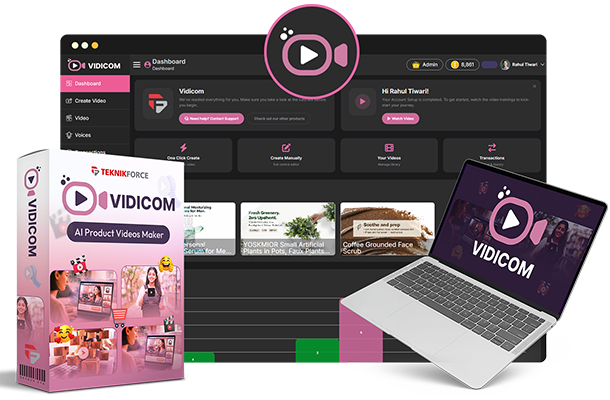
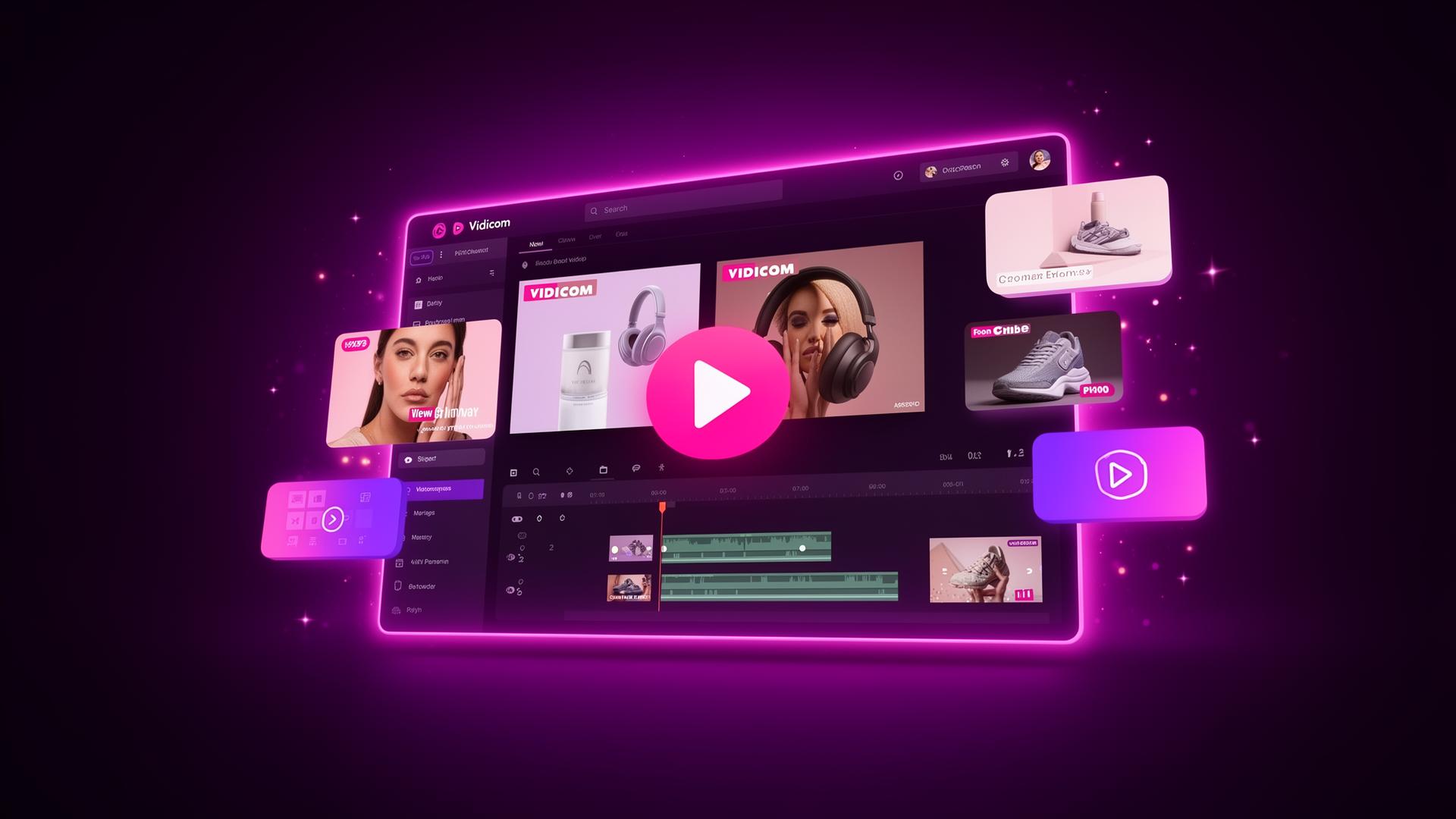
Vidicom is a browser-based AI product video maker from Cyril Gupta and Teknikforce. You feed it a product reference (a URL, a marketplace listing, a Shopify page, or a name plus a folder of photos) and it assembles a finished video around it.
Not a stock-clip slideshow with bouncing captions. A real product video: an opening hook, a feature walkthrough, a social-proof moment, multi-angle shots, voiceover and a closing CTA.
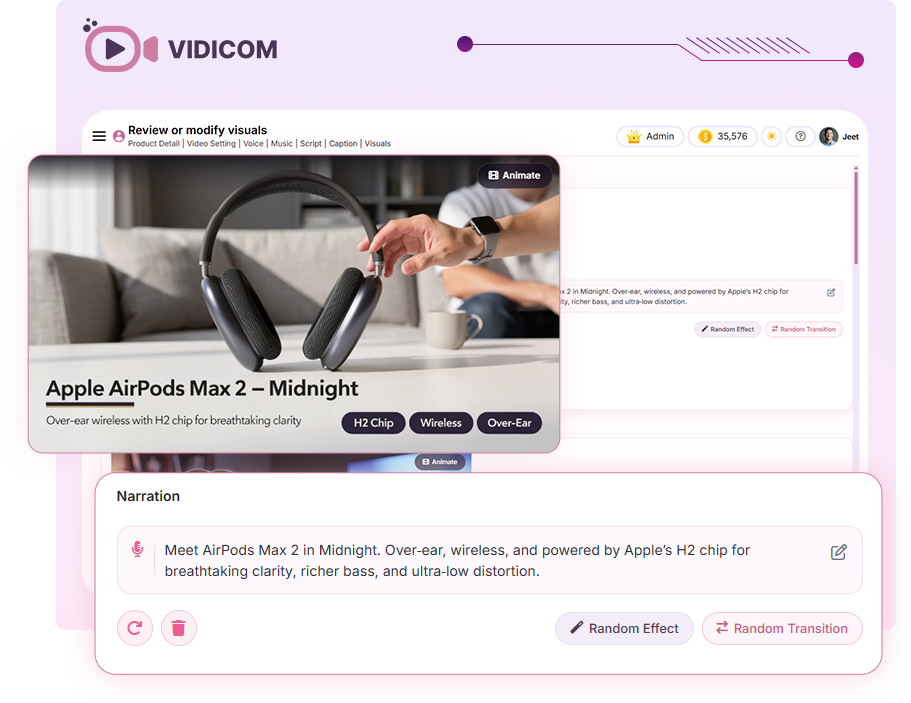
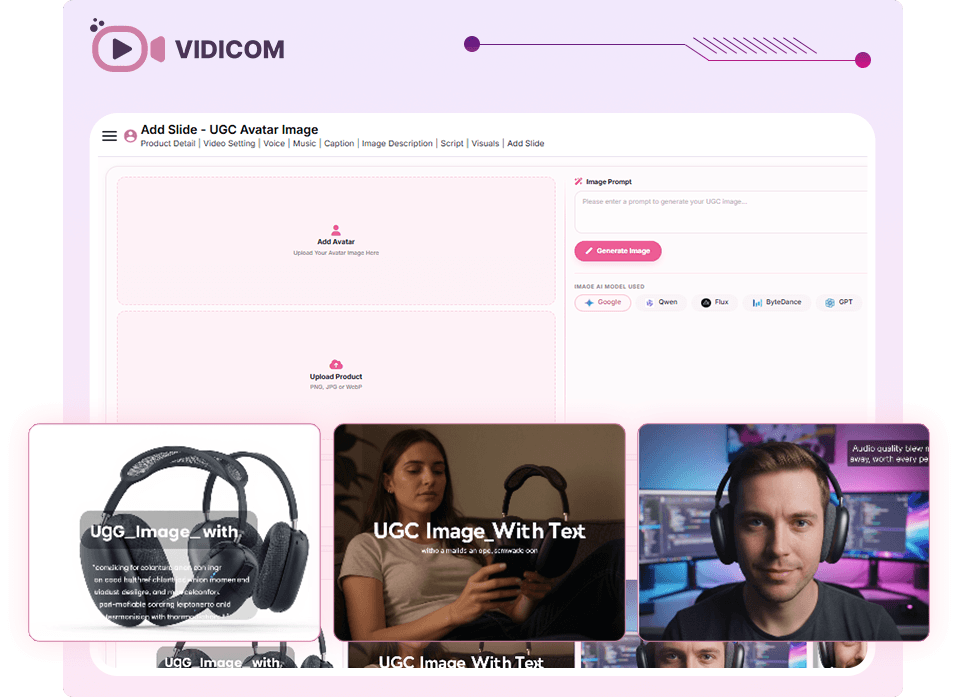
You pick the angle (review, demo, explainer, SEO, GEO-targeted or affiliate), the length, the voice and the language. The model handles scripting, shot selection, narration and assembly.
The whole thing runs in the cloud, so there's nothing to install and no GPU to babysit.
Vidicom Features
Long feature list, but only a handful actually change the math for an operator. Here are the bits that get used most:
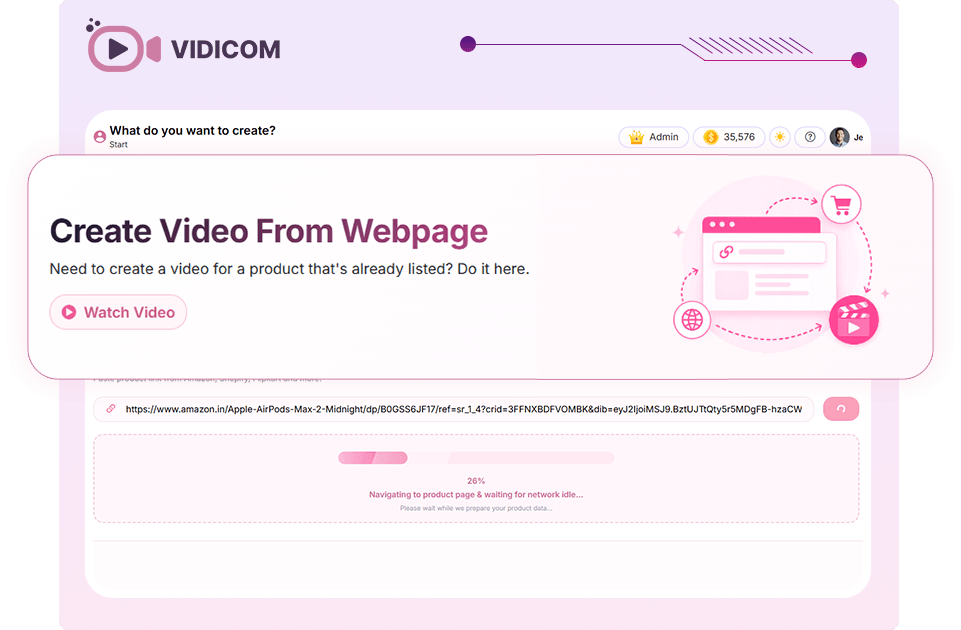
One-click create
Paste a product URL and Vidicom handles the script, the shot list, the narration and the final MP4 without opening the editor.
Six built-in angles
Review, demo, explainer, SEO, GEO-targeted and affiliate. Same product page, very different videos depending on the angle.
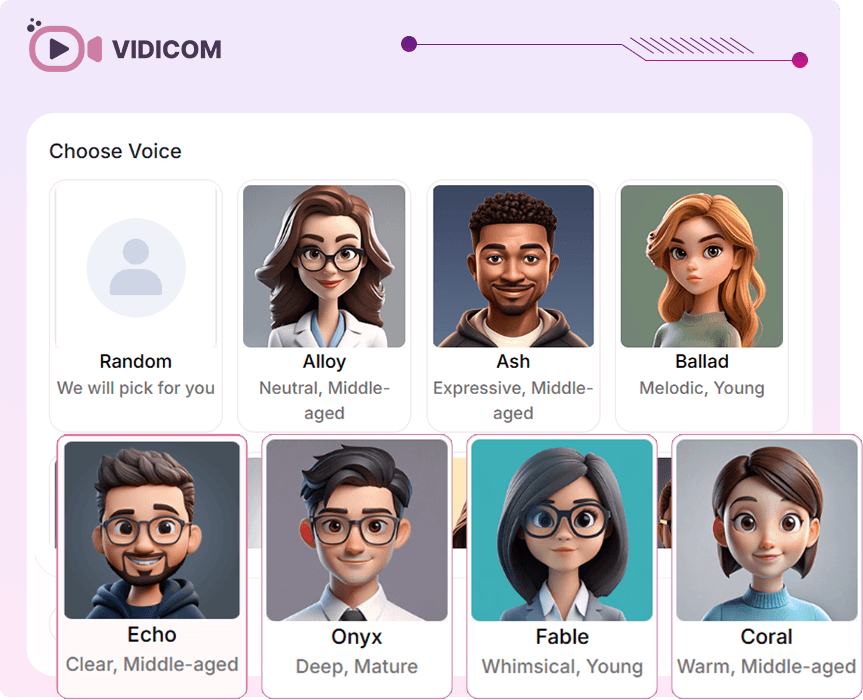
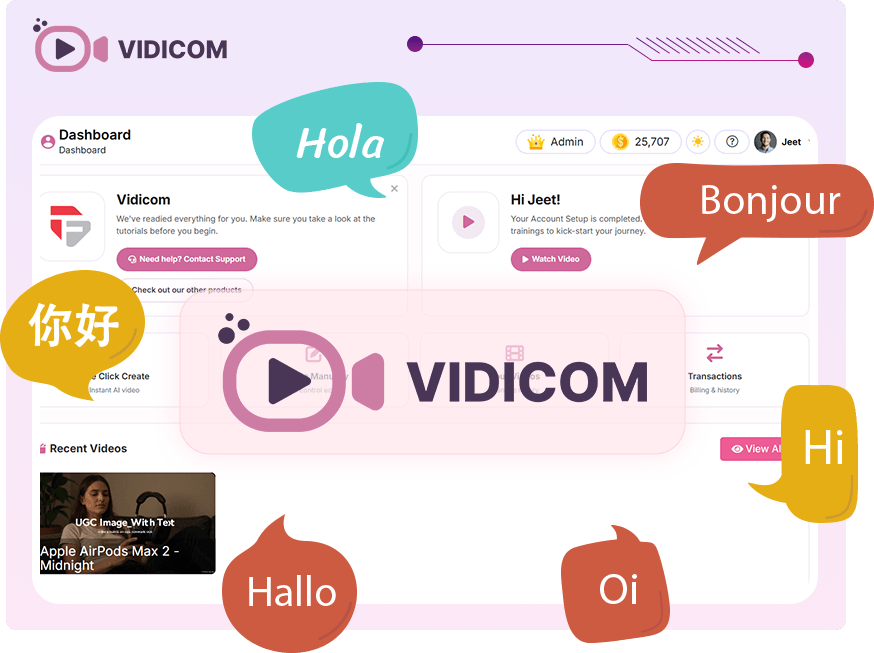
25+ languages
Voices in Spanish, German, French, Japanese, Hindi and others that clear a publish-worthy bar for regional ecom and translated affiliate pages.
SEO & GEO targeting
Outputs tuned for YouTube discoverability and city or country specificity. The GEO option is rare in this category and underrated.
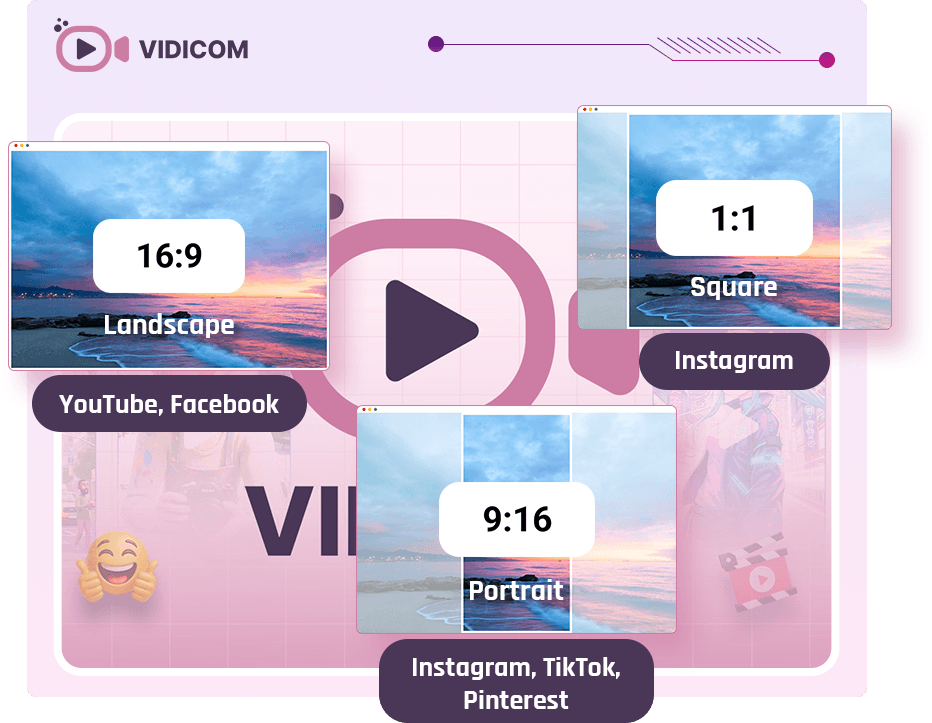
Ecommerce-shaped formats
Aspect ratios, lengths and structures aimed at Shopify PDPs, Amazon listings, YouTube, TikTok and Meta ads. Not vague "social video."
Commercial license
Front end ships with a commercial license. Sell the videos or use them on paying client work without buying extra rights.
Vidicom Benefits
The features list says what's inside. Benefits say what changes for an operator the week after they buy.
Here's the honest version:
Ship video on every SKU
Stop choosing which products deserve a video. At 3 to 5 minutes a piece, the whole catalogue is in scope.
Lift PDP conversion rates
On-page product video lifts purchase intent across most ecom verticals. Vidicom makes that lift cheap to test.
Cut the freelancer bill
Replace the per-video cheque with a one-time $37 ticket plus credits. The math gets ugly fast for the old workflow.
Translate without re-shooting
Spin the same product video into Spanish, French, German, Hindi and more without re-recording a single line of voiceover.
Test creative at volume
Generate six angles for the same product and let your ad account or PDP analytics tell you which one wins.
Skip the install dance
Browser-only. Nothing to download, no GPU, no project files to migrate. Open a tab, ship a video, close the tab.
How Much Extra Revenue Could Better Product Videos Generate For You?
What could even a small increase in your conversion rate be worth? Enter your numbers below to estimate how much additional monthly and annual revenue better product videos could generate for your business.
Vidicom Pros & Cons
The Pros
- Front end actually delivers the headline promise. The core flow isn't fenced behind an OTO
- Output structure stays consistent across very different ecommerce categories
- Voices across 25+ languages sound like people, not robots
- Roughly 3 to 5 minute cycle from pasted URL to finished MP4
- 20K starter credits comfortably cover most operators' first month
- Browser-only. Nothing to install, nothing to maintain
- Tight, product-focused scope beats the kitchen-sink approach of peers
- One-time launch payment instead of another monthly subscription
The Cons
- Aspect-ratio handling on portrait exports benefits from a quick manual once-over
- Credit metering will bite heavy users. Plan around the 50K bump from day one
- Reseller OTO at $197 is the priciest rung and suits a small slice of buyers
- Output is excellent but won't replace a real production shoot for a hero campaign
- Launch-week pricing only. Retail post-launch is meaningfully higher
- Long-term roadmap rides on Teknikforce's update tempo (solid history, but worth flagging)
One-time payment · 20,000 credits included · 30-day guarantee.
Vidicom Pricing & OTOs
Vidicom's launch funnel is structured cleanly. Each rung answers a different question rather than re-selling the same functionality at a higher price.
The sticker value lands around $523. The bundled all-in is $237.
| Rung | Name | Price | What it actually gets you |
|---|---|---|---|
| Front end | Vidicom Elite | $37 | The core web app and 20,000 credits. The full product-video flow ships here, not gated behind anything. |
| Bump | 50K extra credits | $44 | More than doubles your usable cadence. For anyone shipping weekly, the single best-ROI add-on. |
| OTO 1 | Vidicom Pro | $67 | Pro templates, longer videos, higher-resolution exports and the upgraded feature set. |
| OTO 2 | Vidicom Reseller | $197 | White-label Vidicom for your own clients with end-user licenses included. Only sensible if you actually sell to clients. |
| OTO 3 | Vidko | $67 | Extra video angles and stylistic templates on top of the six the front end ships with. |
| OTO 4 | Livecaster 24/7 | $67 | Auto-streams your generated videos to live channels on a schedule. Mostly for YouTube live-SEO plays. |
| Deal | All-Inclusive | $237 | Bundles the lot. Worth it only if you'll genuinely lean on Reseller, Vidko or Livecaster. |
The pattern most disliked in this category (gating the actual software behind an OTO) isn't happening here. The full product-video flow is on the front end.
The upsells are credit refills (the $44 bump), audience expansion (Reseller), format expansion (Vidko, Livecaster) or fulfilment add-ons.
For most operators the sweet spot is the $37 front end plus the $44 credit bump, which is $81 total. That's enough credit headroom to ship videos for the better part of a year.
The front end already includes a commercial license, so videos can be sold or used for paying clients without buying extra commercial rights.
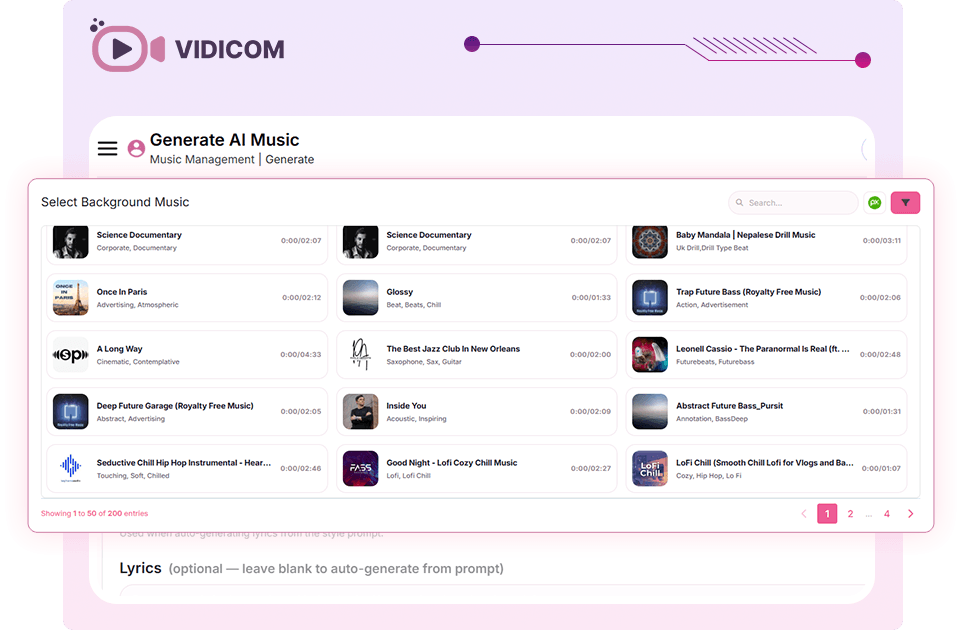
Launch-week buyers also get a Vidicom bonus package (extra angle templates, stock media packs and a short tutorial series).
No traditional lifetime deal, but the front end is a one-time payment with no monthly subscription.
Roughly a year of credits for under $100.
Who Is Vidicom Best For?
If you are reading this review of Vidicom ai to figure out whether it fits your business, here's a quick filter: the sales page casts a wider net than the real ideal-buyer profile. The buyers who'll get the most out of Vidicom are:
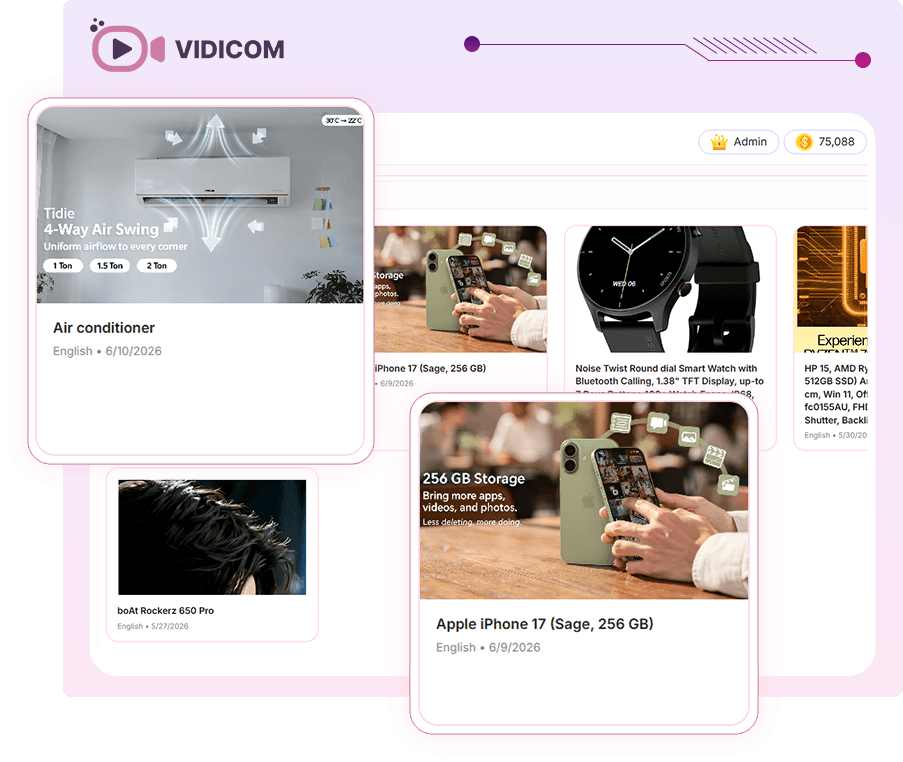
- Shopify and DTC operators with a dozen or more SKUs that need on-PDP video and no in-house videographer.
- Dropshippers running deep catalogs where shooting the products themselves is structurally impossible.
- Affiliate marketers and reviewers who want a watchable video on every published page, in the reader's language.
- Small agencies and freelancers adding product video to their service menu without buying a camera.
- Amazon sellers rotating creative tests across listings and Sponsored Brands placements.
- Social media managers who need a steady drip of TikTok, Reels and Shorts content tied to actual products.
Who it's not for: buyers shopping for a hero brand spot where the video is the centrepiece, or buyers who want a done-for-you service.
The point of Vidicom is that the operator does the operating in minutes instead of weeks.
One-time payment locks the launch price. Retail after launch week is meaningfully higher.
Prefer To Watch? See It In Action
If you'd rather watch than read, here is the full walkthrough video showing how the AI builds product videos from a single URL.
Vidicom Alternatives
The AI video space has split into a few distinct shapes. General script-to-video tools like Pictory and InVideo AI stamp out social-shaped reels.
Avatar tools like Synthesia generate a presenter delivering your script on camera. Design-tool assistants like Canva Magic live inside a broader workspace.
None are architected around product pages.
| Tool | Shape | Best for |
|---|---|---|
| Pictory | Script-to-video and blog-to-video using stock footage and AI narration. | Content marketers recycling long-form into short reels. |
| InVideo AI | Template-heavy AI assistant aimed at short-form social video. | Creators publishing daily to TikTok, Reels and Shorts. |
| Synthesia | AI avatars that deliver your script on camera. | L&D, internal comms, and explainers that need a face. |
| Canva Magic | AI video helpers living inside the broader Canva workspace. | Brand and marketing teams who already work in Canva daily. |
| Runway Gen | Generative video built from prompts and reference images. | Concept work and creative experimentation, not commerce. |
| Topview / Arcads | Synthetic-UGC generators producing avatar-led ad clips. | Performance marketers running creative tests at volume. |
Vidicom vs InVideo
InVideo is a mature, template-heavy AI video tool aimed at general social media videos. Strong on stylistic variety, weak on commerce specifics: no native concept of a product page, a price, or a buyer journey.
Vidicom is narrower and, for ecom, more useful.
If your job is daily TikToks, InVideo wins.
If your job is shipping a watchable marketing video on every SKU you sell, Vidicom is the better fit.
Vidicom vs Pictory
Pictory is built around long-form repurposing. Drop in a transcript and Pictory chops it into short, captioned social clips.
Vidicom doesn't repurpose existing media. It manufactures new product-shaped video from a URL.
If you have hours of long-form to slice, Pictory earns its monthly fee.
If you need fresh product videos without a transcript to start from, Vidicom is the cleaner fit.
Vidicom vs Canva
Canva is a general design workspace with video tools bolted on.
The AI video helpers inside Canva Magic are useful for social posts and short brand clips, but they aren't built around ecommerce product pages.
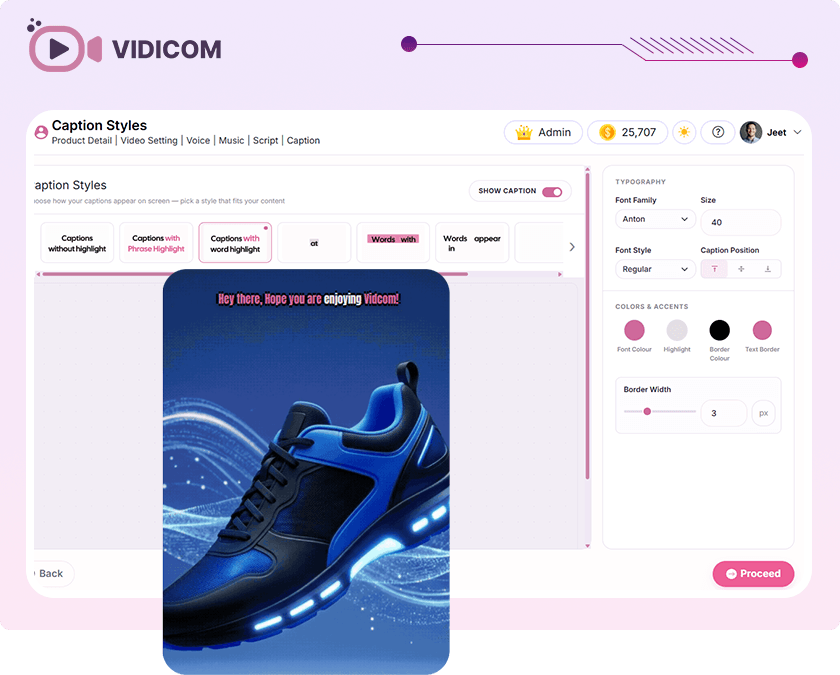
Vidicom does one job and does it properly: turn a product URL into a structured marketing video with voiceover, captions and the right aspect ratio for Shopify, Amazon, Reels or Meta Ads.
The operators who win the next twelve months aren't the ones with the best creative team. They're the ones who removed the friction between "needs a video" and "has a video" and then did it on every SKU.
Final Verdict: How Vidicom Stacks Up
After weighing the features, pricing and use cases in this Vidicom review, Vidicom is one of the cleaner launches in the AI product video category.
Two structural calls earn it: putting the real product on the $37 rung instead of fencing the core flow behind an OTO, and narrowing the surface area to product videos specifically rather than chasing the generalist "AI video platform" label.
It isn't perfect.
Heavy users will burn through 20,000 credits faster than the marketing suggests, and the Reseller and Livecaster OTOs won't suit most buyers.
Even so, if you're an ecom or affiliate operator who needs a steady drip of watchable product videos and you've had enough of writing freelancer cheques, Vidicom at $37 (or $81 with the credit bump) is the easiest software call to make this quarter.
A focused, low-friction AI product video maker that earns its spot in the weekly stack. Launch-week pricing is the right window to buy.
Frequently Asked Questions
The most common questions people ask about Vidicom's AI product video generator.
How does Vidicom work?
Vidicom is a cloud-based AI video software. You paste a product URL (or upload a few photos and a product name), pick an angle, voice and language, and the Vidicom AI video generator scripts, narrates, edits and renders a finished MP4. The whole flow runs in the browser. No install, no GPU, no manual editing required.
Is Vidicom easy to use?
Yes. Vidicom is beginner-friendly by design. A drag-and-drop editor, ready-made templates, built-in stock media and one-click create mean you do not need any video editing experience. A short Vidicom tutorial and demo are included with launch-week access.
Is Vidicom legit?
Yes. Vidicom is published by Teknikforce, a software vendor with a multi-year track record of shipping and supporting AI and marketing tools. The launch ships with a 30-day money-back guarantee, so the downside is capped if it is not a fit.
Is Vidicom worth buying?
For ecom operators, dropshippers, affiliate marketers, small business owners and agencies who need a steady supply of social media videos, YouTube videos, TikTok videos, Instagram Reels or Facebook video ads tied to real products, yes, comfortably. The one-time launch ticket is the easiest software call of the quarter for that buyer profile.
Does Vidicom require a subscription?
No. Vidicom pricing is a one-time payment at launch. There is no recurring monthly fee for the front end. The Vidicom cost is metered by credits, and the front end ships with 20,000 credits included.
Can beginners use Vidicom?
Yes. Most users never touch the timeline. You pick an angle and hit one-click create. Vidicom handles scripting, AI automation, voiceover, subtitles and video rendering for you. If you want to fine-tune later, the editor is there, but it is optional.
What are the Vidicom OTOs?
The Vidicom upgrades are: a 50K credit bump ($44), Vidicom Pro ($67, longer videos and higher-res exports), Vidicom Reseller ($197, white-label rights), Vidko ($67, extra angle templates) and Livecaster ($67, scheduled live streaming). An All-Inclusive bundle ($237) wraps the lot. None of the OTOs gate the core product-video workflow. That is all on the front end.
Does Vidicom include commercial rights?
Yes. The Vidicom commercial license is included with the front end, so any video you create can be used for your own business or sold to paying clients. No additional commercial rights upgrade is required to start charging for the output.
Launch-week pricing closes soon. After that, it moves to standard retail.
Dev runs VideoAppsReviewed, an operator-led briefing site covering the software, tools and launches that meaningfully change the math for small ecommerce stores.